







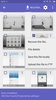
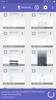



DiskDigger is an app to recover pictures on your Android phone that you thought were long gone. If you accidentally deleted a photo, or lost them when uninstalling an app, you can recover them and save them again to your device's memory.
Using DiskDigger is very simple: you have to select the partition on your Android from which you want to try to recover photos and press the 'scan' button. This process can take from a couple of seconds to several minutes, depending on the size of the partition. As it runs, you can see the pictures the app finds.
It's important to keep in mind that this free version of DiskDigger lets you recover only files in JPG and PNG formats. The Pro version lets you recover the following formats: MP4, MP4A, 3GP, MOV, GIF, MP3, AMR, WAV, TIF, CR2, NEF, DCR, PEF, DNG, ORF, DOC, DOCX, XLS, XLSX, PPT, PPTX, PDF, XPS, ODT, ODS, ODP, ODG, ZIP, APK, and EPUB.
DiskDigger is an outstanding file recovery app that not only works, but does so in a very simple way. Unlike similar apps, it will let you recover lost images with no trouble.
Requirements (Latest version)
- Android 6.0 or higher required
Frequent questions
How can I recover deleted videos with DiskDigger on my Android phone?
To recover deleted videos with DiskDigger on your Android phone, you must indicate where to start tracking deleted items and wait for the process to finish. Then you must select the items you want to recover.
Can I recover deleted text messages with DiskDigger on my Android device?
No, you cannot recover deleted text messages with DiskDigger on your Android device. DiskDigger is an app designed primarily for recovering multimedia files, such as photos and videos, so it cannot recover data from other apps.
What types of files can I recover with DiskDigger?
With DiskDigger, you can recover various types of files. Photos: JPEG, PNG, BMP, GIF, WebP. Videos: MP4, 3GP, AVI, MOV. The paid version offers the possibility to recover documents (DOC/DOCX, XLS/XLSX, PPT/PPTX, PDF, XPS, ODT/ODS/ODP/ODG, ZIP, APK, EPUB).
Is DiskDigger free?
Yes, DiskDigger is a free app. However, it has a paid mode that unlocks many advanced features. To purchase this premium version, you must open the tool settings and locate the purchase option.


 136 reviews













Comments
Great
Nice pic
After enabling the option (clear empty space) and deleting the app, my phone's storage is still full. What should I do?
Wonderful application
The program is very nice, but since it's in English, I deleted the photos I retrieved with DiskDigger, and now I can't access them anymore. How can I recover them?
My sd card is formatted is this app is useful to recover all my photos and videos.